Preset libraries
Ready-made patterns, gradients, filters, markers and effects; see the Presets guide
for pictures of each. @svg.preset.pattern, filter, gradient, marker and effect (documented
under Composite shapes and effects) add your own to these catalogues.
Ready-made patterns, used as paints: fill=svg.patterns.stripes(angle=45, gap=6).
Every pattern returns a Pattern in user units that goes into the document’s
<defs> when an element refers to it. Shapes take the theme role "pattern" (the palette’s primary
color) unless a color= or another role= is given; background= fills behind them. Patterns
registered with svgwriter.library.preset.pattern answer here too, and a built-in replaced with
replace=True answers with the replacement.
Example
>>> import svgwriter as svg
>>> doc = svg.Document(60, 40)
>>> box = doc.rect(0, 0, 60, 40, fill=svg.patterns.hatch(gap=4, color="slategray"))
>>> doc.root.defs()[0].tag
'pattern'

- checker(*, size: float = 12.0, angle: float = 0.0, color: Color | str | None = None, role: str | None = 'pattern', background: Color | str | None = None, **kwargs: Any) Pattern[source]
A checkerboard of size squares.
- Parameters:
size (float, optional) – Side of a square. Defaults to 12.
angle (float, optional) – Rotation in degrees; 45 gives diamonds. Defaults to 0.
color – As for
stripes(); background colors the other squares.role – As for
stripes(); background colors the other squares.background – As for
stripes(); background colors the other squares.**kwargs – As for
stripes(); background colors the other squares.
- Returns:
Pattern – The checker paint.
Examples
>>> import svgwriter as svg
>>> svg.patterns.checker(size=5, color="black", background="white").get("width")
10
- crosshatch(*, angle: float = 45.0, gap: float = 6.0, width: float = 1.0, color: Color | str | None = None, role: str | None = 'pattern', background: Color | str | None = None, **kwargs: Any) Pattern[source]
Thin lines in two perpendicular directions, turned by angle degrees.
- Parameters:
- Returns:
Pattern – The crosshatch paint.
See also
gridThe same lines along the axes.
Examples
>>> import svgwriter as svg
>>> len(svg.patterns.crosshatch().children)
2
- dots(*, gap: float = 6.0, radius: float = 1.5, stagger: bool = True, angle: float = 0.0, color: Color | str | None = None, role: str | None = 'pattern', background: Color | str | None = None, **kwargs: Any) Pattern[source]
Polka dots of radius, gap apart, in a staggered or square arrangement.
- Parameters:
gap (float, optional) – Space between neighbouring dots in a row. Defaults to 6.
radius (float, optional) – Dot radius. Defaults to 1.5.
stagger (bool, optional) – Offset every other row by half a step. Defaults to True.
angle (float, optional) – Rotation in degrees. Defaults to 0.
color – As for
stripes().role – As for
stripes().background – As for
stripes().**kwargs – As for
stripes().
- Returns:
Pattern – The dot paint.
Examples
>>> import svgwriter as svg
>>> len(svg.patterns.dots().children), len(svg.patterns.dots(stagger=False).children)
(5, 1)
- grid(*, gap: float = 12.0, width: float = 1.0, angle: float = 0.0, color: Color | str | None = None, role: str | None = 'pattern', background: Color | str | None = None, **kwargs: Any) Pattern[source]
Graph paper: horizontal and vertical lines gap apart.
- Parameters:
- Returns:
Pattern – The grid paint.
Examples
>>> import svgwriter as svg
>>> svg.patterns.grid(gap=9).get("height")
10.0
- hatch(*, angle: float = 45.0, gap: float = 6.0, width: float = 1.0, color: Color | str | None = None, role: str | None = 'pattern', background: Color | str | None = None, **kwargs: Any) Pattern[source]
Thin parallel lines, as in a technical drawing’s section fill.
- Parameters:
angle (float, optional) – Rotation of the lines in degrees. Defaults to 45.
gap (float, optional) – Space between lines. Defaults to 6.
width (float, optional) – Line thickness. Defaults to 1.
color – As for
stripes().role – As for
stripes().background – As for
stripes().**kwargs – As for
stripes().
- Returns:
Pattern – The hatch paint.
See also
crosshatchLines in two directions.
Examples
>>> import svgwriter as svg
>>> svg.patterns.hatch(gap=3).get("width")
4.0
- noise(*, seed: int = 0, density: float = 0.5, cell: float = 2.0, size: int = 32, color: Color | str | None = None, role: str | None = 'pattern', background: Color | str | None = None, **kwargs: Any) Pattern[source]
Grain: a tile of cell-sized specks of random opacity, the same for the same seed.
- Parameters:
seed (int, optional) – Random seed; equal seeds give equal tiles. Defaults to 0.
density (float, optional) – Share of cells holding a speck,
0..1. Defaults to 0.5.cell (float, optional) – Side of a speck. Defaults to 2.
size (int, optional) – Side of the repeating tile, in user units. Defaults to 32.
color – As for
svgwriter.library.patterns.stripes().role – As for
svgwriter.library.patterns.stripes().background – As for
svgwriter.library.patterns.stripes().**kwargs – As for
svgwriter.library.patterns.stripes().
- Returns:
Pattern – The noise paint.
See also
svgwriter.library.filters.grainNoise as a filter over any element.
Examples
>>> import svgwriter as svg
>>> a, b = svg.patterns.noise(seed=3), svg.patterns.noise(seed=3)
>>> str(a) == str(b), len(a.children) > 0
(True, True)
- stripes(*, angle: float = 45.0, gap: float = 6.0, width: float | None = None, color: Color | str | None = None, role: str | None = 'pattern', background: Color | str | None = None, **kwargs: Any) Pattern[source]
Parallel bands, width thick and gap apart, turned by angle degrees.
- Parameters:
angle (float, optional) – Rotation of the bands in degrees; 0 gives vertical bands. Defaults to 45.
gap (float, optional) – Space between bands, in user units. Defaults to 6.
width (float, optional) – Thickness of a band. Defaults to None, which equals gap.
color (Color or str, optional) – Band color. Defaults to None, which takes the theme role.
role (str or None, optional) – Theme role of the bands when no color is given. Defaults to
"pattern"(the palette’s primary color); None draws them black.background (Color or str, optional) – Fill behind the bands. Defaults to None (transparent).
**kwargs – Forwarded to
Pattern.
- Returns:
Pattern – A paint:
fill=svg.patterns.stripes()puts it into the document’s<defs>.
See also
hatchThin lines instead of bands.
Examples
>>> import svgwriter as svg
>>> bands = svg.patterns.stripes(angle=30, gap=4, color="teal")
>>> bands.get("width"), bands.get("patternTransform")
(8, 'rotate(30)')
- waves(*, wavelength: float = 16.0, amplitude: float = 3.0, gap: float = 6.0, width: float = 2.0, angle: float = 0.0, color: Color | str | None = None, role: str | None = 'pattern', background: Color | str | None = None, **kwargs: Any) Pattern[source]
Rows of sine waves.
- Parameters:
wavelength (float, optional) – Length of one wave. Defaults to 16.
amplitude (float, optional) – Height of a crest above the row’s middle. Defaults to 3.
gap (float, optional) – Space between rows, beyond the waves’ own height. Defaults to 6.
width (float, optional) – Line thickness. Defaults to 2.
angle (float, optional) – Rotation in degrees. Defaults to 0.
color – As for
svgwriter.library.patterns.stripes().role – As for
svgwriter.library.patterns.stripes().background – As for
svgwriter.library.patterns.stripes().**kwargs – As for
svgwriter.library.patterns.stripes().
- Returns:
Pattern – The wave paint.
See also
zigzagStraight-sided waves.
Examples
>>> import svgwriter as svg
>>> svg.patterns.waves(wavelength=20).get("width")
20
- zigzag(*, wavelength: float = 8.0, amplitude: float = 3.0, gap: float = 6.0, width: float = 2.0, angle: float = 0.0, color: Color | str | None = None, role: str | None = 'pattern', background: Color | str | None = None, **kwargs: Any) Pattern[source]
Rows of chevrons.
- Parameters:
wavelength (float, optional) – Length of one zig and zag. Defaults to 8.
amplitude (float, optional) – Height of a peak above the row’s middle. Defaults to 3.
gap (float, optional) – Space between rows, beyond the zigzag’s own height. Defaults to 6.
width (float, optional) – Line thickness. Defaults to 2.
angle (float, optional) – Rotation in degrees. Defaults to 0.
color – As for
svgwriter.library.patterns.stripes().role – As for
svgwriter.library.patterns.stripes().background – As for
svgwriter.library.patterns.stripes().**kwargs – As for
svgwriter.library.patterns.stripes().
- Returns:
Pattern – The zigzag paint.
Examples
>>> import svgwriter as svg
>>> len(svg.patterns.zigzag().children[0].points)
6
Ready-made gradients, used as paints: fill=svg.gradients.sunset().
Blends between distant colors are sampled in OKLCH, so they stay vivid where a plain sRGB blend turns
grey. Gradients are in bounding-box units, so one paint stretches to any shape; mesh is a pattern of
layered radial blends. Colors left to the theme come from Theme.current
when the gradient is built. Gradients registered with svgwriter.library.preset.gradient answer here too.
Example
>>> import svgwriter as svg
>>> doc = svg.Document(80, 40)
>>> sky = doc.rect(0, 0, 80, 40, fill=svg.gradients.sunset())
>>> doc.root.defs()[0].tag
'linearGradient'

- blend(*colors: Color | str | Sequence[float], angle: float = 0.0, **kwargs: Any) LinearGradient[source]
Any colors, evenly spaced and blended in OKLCH.
- Parameters:
- Returns:
LinearGradient – The blended gradient.
Examples
>>> import svgwriter as svg
>>> len(svg.gradients.blend("red", "blue").children)
6
- iridescent(hue: float = 200.0, *, sweep: float = 300.0, angle: float = 30.0, **kwargs: Any) LinearGradient[source]
A soap-film sheen: pale colors sweeping round the hue wheel at even lightness, in OKLCH.
- Parameters:
- Returns:
LinearGradient – The iridescent gradient.
Examples
>>> import svgwriter as svg
>>> len(svg.gradients.iridescent().children)
7
- mesh(*corners: Color | str | Sequence[float], **kwargs: Any) Pattern[source]
A soft four-corner blend, like a gradient mesh: each corner’s color fades out towards the others.
The paint is a bounding-box pattern of radial gradients layered over the average color, so it stretches to any shape.
- Parameters:
- Returns:
Pattern – The mesh paint.
- Raises:
ValueError – If more than four corners are given.
Examples
>>> import svgwriter as svg
>>> paint = svg.gradients.mesh("red", "gold", "teal", "navy")
>>> paint.tag, len(paint.children)
('pattern', 5)
- metallic(base: Color | str | Sequence[float] = '#a8adb5', *, angle: float = 90.0, **kwargs: Any) LinearGradient[source]
Brushed metal: bands of lighter and darker base with a sharp horizon line.
- Parameters:
- Returns:
LinearGradient – The metallic gradient.
Examples
>>> import svgwriter as svg
>>> len(svg.gradients.metallic("gold").children)
6
- ocean(*, angle: float = 90.0, **kwargs: Any) LinearGradient[source]
Sunlit shallows through turquoise to the deep.
- Parameters:
angle (float, optional) – Direction in degrees. Defaults to 90 (top to bottom).
**kwargs – Forwarded to
LinearGradient.
- Returns:
LinearGradient – The ocean gradient.
Examples
>>> import svgwriter as svg
>>> len(svg.gradients.ocean().children)
21
- sunset(*, angle: float = 90.0, **kwargs: Any) LinearGradient[source]
Dusk violet through rose and orange to a pale gold horizon.
- Parameters:
angle (float, optional) – Direction in degrees. Defaults to 90 (top to bottom).
**kwargs – Forwarded to
LinearGradient.
- Returns:
LinearGradient – The sunset gradient.
Examples
>>> import svgwriter as svg
>>> svg.gradients.sunset().children[0].get("stop-color").hex
'#2b1055'
- theme(start: Color | str | Sequence[float] | None = None, end: Color | str | Sequence[float] | None = None, *, angle: float = 0.0, **kwargs: Any) LinearGradient[source]
The theme’s primary color blending into its accent, sampled in OKLCH.
- Parameters:
start (Color or str, optional) – End colors. Default to None, the current theme’s primary and accent colors.
end (Color or str, optional) – End colors. Default to None, the current theme’s primary and accent colors.
angle (float, optional) – Direction in degrees: 0 runs left to right, 90 top to bottom. Defaults to 0.
**kwargs – Forwarded to
LinearGradient.
- Returns:
LinearGradient – A bounding-box gradient;
fill=svg.gradients.theme()puts it into<defs>.
Notes
Stop colors are numbers, so theme defaults come from
Theme.currentwhen the gradient is built: build it insidewith svg.themes.get("dark"):for the dark palette.Examples
>>> import svgwriter as svg
>>> paint = svg.gradients.theme("navy", "gold", angle=90)
>>> paint.get("y2"), len(paint.children)
(1.0, 6)
Ready-made filters: element.filter = svg.filters.glow(4).
Every function returns a Filter that goes into the document’s <defs> when an element
refers to it, with a region enlarged so blurs and shadows are not clipped, computed in sRGB. Single
colors (shadows, outlines) default to theme roles ("filter.shadow", "filter.ink"), so they follow
the document theme. Filters registered with svgwriter.library.preset.filter answer here too.
Example
>>> import svgwriter as svg
>>> doc = svg.Document(80, 40)
>>> card = doc.rect(10, 10, 50, 20, fill="white", filter=svg.filters.drop_shadow(2, 3, 2))
>>> doc.root.defs()[0].tag
'filter'

- bevel(depth: float = 3.0, *, azimuth: float = 225.0, elevation: float = 45.0, shine: float = 20.0, color: Color | str = 'white', **kwargs: Any) Filter[source]
A glossy raised edge: a specular highlight on the rounded rim of the shape.
- Parameters:
depth (float, optional) – Height of the rim (the surface scale). Defaults to 3.
azimuth (float, optional) – Direction the light comes from, in degrees. Defaults to 225 (top left).
elevation (float, optional) – Height of the light above the page, in degrees. Defaults to 45.
shine (float, optional) – Specular exponent; higher is a tighter highlight. Defaults to 20.
color (Color or str, optional) – Light color. Defaults to
"white".**kwargs – Forwarded to
Filter.
- Returns:
Filter – The bevel filter.
See also
reliefMatte shading instead of a highlight.
Examples
>>> import svgwriter as svg
>>> svg.filters.bevel().children[1].tag
'feSpecularLighting'
- blur(radius: float | tuple[float, float] = 2.0, **kwargs: Any) Filter[source]
A Gaussian blur; a pair
(x, y)blurs along one axis more than the other, as in motion blur.- Parameters:
- Returns:
Filter – The filter;
element.filter = svg.filters.blur()puts it into<defs>.
Examples
>>> import svgwriter as svg
>>> svg.filters.blur((6, 0)).children[0].get("stdDeviation")
(6, 0)
- drop_shadow(dx: float = 2.0, dy: float = 2.0, blur: float = 2.0, color: Color | str | None = None, opacity: Annotated[float, ValueRange(low=0.0, high=1.0)] = 1.0, *, role: str | None = 'filter.shadow', **kwargs: Any) Filter[source]
A blurred, offset, tinted copy of the element’s shape, under the element.
- Parameters:
dx (float, optional) – Shadow offset. Defaults to 2.
dy (float, optional) – Shadow offset. Defaults to 2.
blur (float, optional) – Standard deviation of the blur. Defaults to 2.
color (Color or str, optional) – Shadow color. Defaults to None, which takes the theme role.
opacity (float, optional) – Shadow opacity, on top of the color’s own alpha. Defaults to 1.
role (str or None, optional) – Theme role giving the
flood-colorwhen no color is given. Defaults to"filter.shadow"(the palette’s translucent shadow color).**kwargs – Forwarded to
Filter.
- Returns:
Filter – The shadow filter.
See also
inner_shadowA shadow inside the shape.
long_shadowA hard shadow stretched along a direction.
Examples
>>> import svgwriter as svg
>>> shadow = svg.filters.drop_shadow(3, 3, 1, "navy", 0.4)
>>> [child.tag for child in shadow.children]
['feGaussianBlur', 'feOffset', 'feFlood', 'feComposite', 'feMerge']
- duotone(dark: Color | str | None = None, light: Color | str | None = None, **kwargs: Any) Filter[source]
Recolor by brightness: shadows take dark, highlights light, the rest a blend of the two.
- Parameters:
- Returns:
Filter – The duotone filter.
Notes
The colors are numbers in a color matrix, so theme defaults come from
Theme.currentwhen the filter is built.Examples
>>> import svgwriter as svg
>>> len(svg.filters.duotone("black", "white").children[0].get("values"))
20
- emboss(strength: float = 1.0, **kwargs: Any) Filter[source]
A stamped-relief look: edges facing the light brighten, the others darken.
- Parameters:
strength (float, optional) – Scale of the relief kernel; 0 leaves the element unchanged. Defaults to 1.
**kwargs – Forwarded to
Filter.
- Returns:
Filter – The emboss filter.
Examples
>>> import svgwriter as svg
>>> svg.filters.emboss().children[0].tag
'feConvolveMatrix'
- glow(radius: float = 2.0, *, color: Color | str | None = None, opacity: Annotated[float, ValueRange(low=0.0, high=1.0)] = 1.0, **kwargs: Any) Filter[source]
A soft halo under the element, in its own colors or in color.
- Parameters:
- Returns:
Filter – The glow filter.
See also
drop_shadowAn offset, tinted shadow.
Examples
>>> import svgwriter as svg
>>> [child.tag for child in svg.filters.glow(3).children]
['feGaussianBlur', 'feMerge']
>>> [child.tag for child in svg.filters.glow(3, color="gold").children]
['feGaussianBlur', 'feFlood', 'feComposite', 'feMerge']
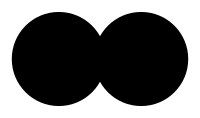
- goo(blur: float = 8.0, *, crisp: bool = True, **kwargs: Any) Filter[source]
Metaballs: shapes that come close melt into each other. Apply it to a group of shapes.
The group is blurred, then its alpha is thresholded back to a sharp edge, so the blurred overlaps become bridges.
- Parameters:
- Returns:
Filter – The goo filter.
Examples
>>> import svgwriter as svg
>>> blobs = svg.group(svg.circle(10, 10, 8), svg.circle(24, 10, 8))
>>> blobs.filter = svg.filters.goo(6)
>>> [child.tag for child in blobs.get("filter").element]
['feGaussianBlur', 'feColorMatrix', 'feComposite']
- grain(amount: float = 0.25, *, frequency: float = 0.8, seed: int = 0, **kwargs: Any) Filter[source]
Film grain: grey fractal noise mixed into the element’s colors, inside its shape.
- Parameters:
- Returns:
Filter – The grain filter.
See also
svgwriter.library.patterns.noiseNoise as a paint.
Examples
>>> import svgwriter as svg
>>> svg.filters.grain(seed=4).children[0].get("seed")
4
- inner_shadow(dx: float = 2.0, dy: float = 2.0, blur: float = 2.0, color: Color | str | None = None, opacity: Annotated[float, ValueRange(low=0.0, high=1.0)] = 1.0, *, role: str | None = 'filter.shadow', **kwargs: Any) Filter[source]
A shadow cast inside the shape, as if it were pressed in.
- Parameters:
dx – As for
drop_shadow().dy – As for
drop_shadow().blur – As for
drop_shadow().color – As for
drop_shadow().opacity – As for
drop_shadow().role – As for
drop_shadow().**kwargs – As for
drop_shadow().
- Returns:
Filter – The inner-shadow filter.
Examples
>>> import svgwriter as svg
>>> svg.filters.inner_shadow().children[2].get("operator")
<CompositeOperator.OUT: 'out'>
- long_shadow(angle: float = 45.0, length: float = 24.0, color: Color | str | None = None, opacity: Annotated[float, ValueRange(low=0.0, high=1.0)] = 1.0, *, role: str | None = 'filter.shadow', **kwargs: Any) Filter[source]
A hard shadow stretched length units along angle, the flat-design long shadow.
The shape is swept by doubling offsets, so the filter has a handful of primitives for any length.
- Parameters:
angle (float, optional) – Direction of the shadow in degrees, clockwise from the x axis (y points down). Defaults to 45.
length (float, optional) – Length of the shadow in user units. Defaults to 24.
color – As for
drop_shadow().opacity – As for
drop_shadow().role – As for
drop_shadow().**kwargs – As for
drop_shadow().
- Returns:
Filter – The long-shadow filter.
Examples
>>> import svgwriter as svg
>>> sum(child.tag == "feOffset" for child in svg.filters.long_shadow(length=15).children)
4
- outline(width: float = 2.0, color: Color | str | None = None, opacity: Annotated[float, ValueRange(low=0.0, high=1.0)] = 1.0, *, role: str | None = 'filter.ink', **kwargs: Any) Filter[source]
A solid ring width units wide around the shape, grown from its alpha; text stays text.
- Parameters:
width (float, optional) – Ring width. Defaults to 2.
color (Color or str, optional) – Ring color. Defaults to None, which takes the theme role.
opacity (float, optional) – Ring opacity. Defaults to 1.
role (str or None, optional) – Theme role giving the
flood-colorwhen no color is given. Defaults to"filter.ink"(the palette’s foreground).**kwargs – Forwarded to
Filter.
- Returns:
Filter – The outline filter.
Examples
>>> import svgwriter as svg
>>> svg.filters.outline(3, "white").children[0].get("operator")
<MorphologyOperator.DILATE: 'dilate'>
- relief(depth: float = 3.0, *, azimuth: float = 225.0, elevation: float = 45.0, color: Color | str = 'white', **kwargs: Any) Filter[source]
Matte shading of a raised shape lit from one side.
- Parameters:
- Returns:
Filter – The relief filter.
Examples
>>> import svgwriter as svg
>>> svg.filters.relief().children[1].tag
'feDiffuseLighting'
Ready-made markers for line ends and vertices: marker_end=svg.markers.arrow().
Markers are sized in stroke widths, so heads grow with the line, and turn with it (orient="auto").
They take the line-end theme role "arrow.head" (the palette’s foreground) unless a color= is given, and go into
the document’s <defs> when a line refers to them. Markers registered with
svgwriter.library.preset.marker answer here too.
Example
>>> import svgwriter as svg
>>> doc = svg.Document(80, 20)
>>> line = doc.line(5, 10, 70, 10, stroke="black", stroke_width=2, marker_end=svg.markers.arrow())
>>> doc.root.defs()[0].tag
'marker'

- arrow(size: float = 5.0, *, color: Color | str | None = None, role: str | None = 'arrow.head', **kwargs: Any) Marker[source]
A filled triangular arrowhead whose tip sits on the line’s end.
Every marker is sized in stroke widths, so a thicker line gets a proportionally larger head, and turns with the line (
orient="auto").- Parameters:
size (float, optional) – Width and height in stroke widths. Defaults to 5.
color (Color or str, optional) – Fill. Defaults to None, which takes the theme role.
role (str or None, optional) – Theme role when no color is given. Defaults to
"arrow.head"(the palette’s foreground); None draws black.**kwargs – Forwarded to
Marker.
- Returns:
Marker – The marker;
marker_end=svg.markers.arrow()puts it into<defs>.
Examples
>>> import svgwriter as svg
>>> head = svg.markers.arrow(color="red")
>>> head.get("orient"), head.get("refX"), head[0].get("fill")
('auto', 10.0, 'red')
- bar(size: float = 5.0, *, color: Color | str | None = None, role: str | None = 'arrow.head', **kwargs: Any) Marker[source]
A short bar across the line at the vertex, as on a dimension line.
- Parameters:
- Returns:
Marker – The bar marker.
Examples
>>> import svgwriter as svg
>>> svg.markers.bar()[0].get("height")
10.0
- diamond(size: float = 5.0, *, color: Color | str | None = None, role: str | None = 'arrow.head', **kwargs: Any) Marker[source]
A filled diamond centred on the vertex.
- Parameters:
- Returns:
Marker – The diamond marker.
Examples
>>> import svgwriter as svg
>>> len(svg.markers.diamond()[0].points)
4
- dot(size: float = 5.0, *, color: Color | str | None = None, role: str | None = 'arrow.head', **kwargs: Any) Marker[source]
A filled circle centred on the vertex.
- Parameters:
- Returns:
Marker – The dot marker.
Examples
>>> import svgwriter as svg
>>> svg.markers.dot(3)[0].tag
'circle'
- open_arrow(size: float = 5.0, *, color: Color | str | None = None, role: str | None = 'arrow.head', **kwargs: Any) Marker[source]
An open chevron arrowhead (
>) whose point sits on the line’s end.- Parameters:
- Returns:
Marker – The open-arrow marker.
Examples
>>> import svgwriter as svg
>>> len(svg.markers.open_arrow()[0].points)
6
- square(size: float = 5.0, *, color: Color | str | None = None, role: str | None = 'arrow.head', **kwargs: Any) Marker[source]
A filled square centred on the vertex.
- Parameters:
- Returns:
Marker – The square marker.
Examples
>>> import svgwriter as svg
>>> svg.markers.square()[0].tag
'rect'
Effects for any element: svg.effects.fire(shape), element.effect("neon") or text[4:9].effect("ice").
Each effect sets paint, a filter and, unless animate=False, a small SMIL loop, so the effect plays in
browsers, GIFs and videos alike. Effects size themselves to the element: a text to the height of its glyphs,
anything else to the shorter side of its bounding box. Text stays text, selectable and searchable. On a range
of a text, the characters move onto a copy of the text placed just above it (see
CharacterRange.isolate), so filters reach exactly those characters;
the text must already be in a document or group. Effects registered with svgwriter.preset.effect
answer here too.
Example
>>> import svgwriter as svg
>>> doc = svg.Document(300, 50)
>>> line = doc.text("Smoke and Snow", x=10, y=36, font_size=28)
>>> _ = svg.effects.smoke(line[0:5])
>>> _ = line[10:14].effect("snow")
>>> len(doc.root.find_all(svg.Text))
3
>>> doc.circle(270, 25, 15).effect("neon", color="deeppink").get("filter") is not None
True

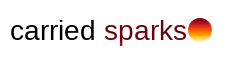
- fire(element: Element, *, animate: bool = True, seed: int = 0) None[source]
Fire: a white-hot to ember gradient, licked upwards by flickering noise, with an orange glow.
- Parameters:
element (Element) – The element: a shape, group, image or text, or (through the registered effect) a range of a text such as
text[4:9].animate (bool, optional) – Let the flames flicker (an SMIL loop, so it plays in browsers, GIFs and videos). Defaults to True.
seed (int, optional) – Noise seed; other seeds give other flames. Defaults to 0.
Examples
>>> import svgwriter as svg
>>> doc = svg.Document(240, 60)
>>> line = doc.text("carried sparks", x=10, y=40, font_size=28)
>>> layer = svg.effects.fire(line[8:14])
>>> layer.get("filter").element[0].children[0].get("attributeName")
'baseFrequency'
>>> torch = svg.effects.fire(doc.circle(200, 30, 12))
>>> torch.get("filter").element.get("width")
67.2
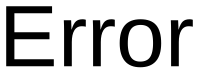
- glitch(element: Element, *, animate: bool = True) None[source]
A digital glitch: red and cyan copies of the outline jump apart and back.
- Parameters:
Examples
>>> import svgwriter as svg
>>> title = svg.text("Error", x=0, y=30, font_size=30)
>>> sum(child.tag == "feOffset" for child in svg.effects.glitch(title).get("filter").element)
2
- ice(element: Element, *, animate: bool = True) None[source]
Ice: frost-white to glacier-blue, a cold halo and a glint that travels round the edges.
- Parameters:
Examples
>>> import svgwriter as svg
>>> title = svg.text("cold", x=0, y=30, font_size=30)
>>> svg.effects.ice(title, animate=False).get("filter").element[-1].tag
'feMerge'

- metal(element: Element, *, base: Color | str | Sequence[float] = '#a8adb5', animate: bool = True) None[source]
Polished metal: banded steel (or any base), a dark edge, a raised highlight and a shadow.
- Parameters:
Examples
>>> import svgwriter as svg
>>> title = svg.text("Metal", x=0, y=30, font_size=30)
>>> svg.effects.metal(title, base="gold").fill.element.tag
'linearGradient'

- neon(element: Element, *, color: Color | str | Sequence[float] | None = None, animate: bool = True) None[source]
A neon tube: a pale core in color’s tint, layered glows of color, and the odd flicker.
- Parameters:
Examples
>>> import svgwriter as svg
>>> title = svg.text("Open", x=0, y=30, font_size=30)
>>> sum(child.tag == "feGaussianBlur" for child in svg.effects.neon(title).get("filter").element)
3

- smoke(element: Element, *, animate: bool = True, seed: int = 0) None[source]
Smoke: soft grey that curls and drifts inside a faint haze.
- Parameters:
Examples
>>> import svgwriter as svg
>>> title = svg.text("Smoke", x=0, y=30, font_size=30)
>>> svg.effects.smoke(title).fill.hex
'#8d939b'

- snow(element: Element, *, animate: bool = True, seed: int = 0) None[source]
Snow: white with a cold rim, flakes drifting down around it.
- Parameters:
Examples
>>> import svgwriter as svg
>>> title = svg.text("Snow", x=0, y=30, font_size=30)
>>> svg.effects.snow(title, animate=False).stroke.hex
'#bcd4ea'

- wind(element: Element, *, animate: bool = True) None[source]
Windswept: pale air-blue, trailing a gusting streak.
- Parameters:
Examples
>>> import svgwriter as svg
>>> title = svg.text("Wind", x=0, y=30, font_size=30)
>>> svg.effects.wind(title).get("filter").element[0].tag
'feGaussianBlur'

Registries
Every registry (the preset kinds, svg.themes, svg.formats, svg.renderers, svg.project.presets and
the command line’s commands) is a Registry; see Extending svgwriter.
- class Registry(kind: str, builtins: Callable[[], object] | None = None, *, group: str | None = None)[source]
Bases:
Generic[T]Entries of one kind by name: built-in ones, and user ones that add to or replace them.
Every registry works the same way:
register()as a decorator (bare or withname=andreplace=) or a call,list(),get()andunregister(). A taken name raises an error naming its owner, an unknown one anUnknownNameErrorwith the closest names. Packages add entries through thesvgwriter.<kind>entry-point group (seegroup), loaded the first time a name is not found or the registry is listed.- Parameters:
kind (str) – What the entries are, for messages and the entry-point group (
"theme").builtins (callable, optional) – Imports the built-in entries; called once, before the first lookup or registration. Defaults to None, for registries filled at import time.
group (str, optional) – The entry-point group plugins register into. Defaults to None, which is
"svgwriter.<kind>".
Examples
>>> import svgwriter as svg
>>> "dark" in svg.themes.list(), svg.themes.group
(True, 'svgwriter.theme')
- register(item: T, /, *, name: str | None = None, replace: bool = False) T[source]
- register(*, name: str | None = None, replace: bool = False) Callable[[T], T]
Register item, or return a decorator that does.
- Parameters:
item (object, optional) – The entry. Given when used as a bare decorator or a call.
name (str, optional) – The name. Defaults to None, which takes the item’s
__name__(functions and classes) orname(themes, presets).replace (bool, optional) – Replace an entry already registered under the name, a built-in one included. Defaults to False.
- Returns:
object – The registered entry, or a decorator that registers and returns it.
- Raises:
ValueError – If the name is taken and replace is False; the message names the owner.
- prepare(name: str, item: T) T[source]
Check item and return what is stored under name (the item itself unless a kind wraps it).
- add(name: str, item: T, *, replace: bool = False) T[source]
Store item under name; a taken name raises ValueError naming its owner unless replace.
- seal() None[source]
Make every entry registered so far a built-in one (called once the built-ins are imported).
- unregister(name: str) T[source]
Remove the entry registered as name and return it; a replaced built-in comes back.
- Parameters:
name (str) – The registered name.
- Returns:
object – The removed entry.
- Raises:
UnknownNameError – If nothing is registered under name, or it is built in (built-ins are replaced, not removed).
- get(name: str) T[source]
The entry registered as name: the user’s if one replaced it, else the built-in.
- Parameters:
name (str) – The registered name.
- Returns:
object – The entry.
- Raises:
UnknownNameError – If nothing has that name; the message suggests the closest names.
- find(name: str, *, plugins: bool = True) T | None[source]
The entry registered as name, or None; plugins loads the entry points on a miss.