Geometry operations and rendering
Boolean operations, measurement, text outlines and rendering, backed by skia.
Font families live here too: Typeface (also svg.Typeface), its Face objects with FaceMetrics,
and the low-level register_font; see Typography. Document.embed_fonts
writes the faces a document uses as @font-face rules.
Geometry backed by skia: boolean operations, measurement, text outlines.
The same features are reachable from elements: a | b,
a & b, a - b, a ^ b, shape.total_length(),
shape.contains_point(x, y) and so on.
Example
>>> import svgwriter as svg
>>> from svgwriter import ops
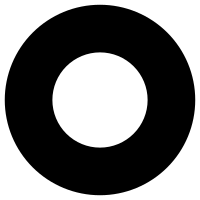
>>> ring = svg.Circle(50, 50, 40) - svg.Circle(50, 50, 20)
>>> ops.contains(ring, 50, 50)
False
- wireframe(target: Document | Element, *, color: str = '#0ea5e9', width: float | None = None, bounds: bool = False) Any[source]
A copy of target drawn as thin outlines, to see the geometry under the paint.
Shapes and text keep their geometry and type sizes with no fill and a width stroke in color (set in their inline style, so theme roles cannot repaint them); images become their box. Filters, masks, opacity, markers and animations are left out, and the original is not changed.
- Parameters:
- Returns:
Document or Element – The wireframe, of the same kind as target.
Examples
>>> import svgwriter as svg
>>> doc = svg.Document(width=80, height=40)
>>> _ = doc.rect(5, 5, 30, 30, fill="crimson", filter=svg.filters.drop_shadow())
>>> _ = doc.text("Hi", x=45, y=28, font_size=20)
>>> wire = doc.wireframe()
>>> rect = wire.root.find("rect")
>>> rect.style["fill"], rect.style["stroke"], rect.get("filter")
('none', '#0ea5e9', None)
>>> doc.root.find("rect").get("fill")
'crimson'


- class BooleanOp(*values)[source]
Bases:
EnumHow
combine()merges two outlines.UNION,INTERSECTION,DIFFERENCE,REVERSE_DIFFERENCE(what only the second outline covers) andXORmap to skia’s path operations.Examples
>>> from svgwriter.ops import BooleanOp
>>> BooleanOp.XOR.name
'XOR'
- UNION = 'kUnion_PathOp'
- INTERSECTION = 'kIntersect_PathOp'
- DIFFERENCE = 'kDifference_PathOp'
- REVERSE_DIFFERENCE = 'kReverseDifference_PathOp'
- XOR = 'kXOR_PathOp'
- class Face(family: str, weight: tuple[float, float], style: ~typing.Literal['normal', 'italic', 'oblique'], stretch: tuple[float, float], axes: dict[str, tuple[float, float, float]] = <factory>, source: ~pathlib.Path | None = None, subfamily: str = 'Regular', typeface: ~typing.Any = None, blob: bytes | None = None)[source]
Bases:
objectOne face of a
Typeface: a font file and the styles it covers.Faces are made by
Typeface; read them fromTypeface.facesor pick one withTypeface.face(). A variable face covers a weight (and stretch) range;Typeface.face()returns it pinned to the requested weight.- Variables:
family (str) – The family name text uses to reach this face.
weight ((float, float)) – The weights covered; equal ends for a static face.
style ({"normal", "italic", "oblique"}) – The style.
stretch ((float, float)) – The widths covered, in percent of normal.
axes (dict of str to (float, float, float)) – Variation axes by tag (
"wght","wdth","slnt", …) as(minimum, default, maximum); empty for a static face.source (pathlib.Path or None) – The file the face came from; None for installed or in-memory fonts.
subfamily (str) – The style name inside the font (typographic name first), such as
"SemiBold Italic".
Examples
>>> import svgwriter as svg
>>> face = svg.Typeface("sans-serif").face(weight=700)
>>> face.measure("Hi", 20) > 0
True
- classmethod of(family: str, typeface: Any, described: FaceStyle, source: Path | None = None, blob: bytes | None = None, subfamily: str = 'Regular') Face[source]
A face from a skia typeface and its CSS descriptors.
- Parameters:
family (str) – The family name.
typeface (skia.Typeface) – The loaded font.
described (FaceStyle) – Its weight, style, stretch and axes.
source (pathlib.Path, optional) – The file it was read from. Defaults to None.
blob (bytes, optional) – The file contents, when already read. Defaults to None.
subfamily (str, optional) – The style name read from the font. Defaults to “Regular”.
- Returns:
Face – The face.
Examples
>>> import skia
>>> from svgwriter._internal._typography._font_match import describe
>>> from svgwriter.ops import Face
>>> typeface = skia.Typeface("sans-serif")
>>> Face.of("Sans", typeface, describe(typeface)).family
'Sans'
- property variable: bool
Whether the face has variation axes.
Examples
>>> import svgwriter as svg
>>> isinstance(svg.Typeface("serif").face().variable, bool)
True
- property styles: frozenset[str]
its own, plus
obliquewhen aslntaxis leans.Examples
>>> import svgwriter as svg
>>> "normal" in svg.Typeface("serif").face().styles
True
- Type:
The styles the face can draw
- property data: bytes[source]
The font file, rebuilt from the loaded tables for installed fonts and collections.
Examples
>>> import svgwriter as svg
>>> svg.Typeface("sans-serif").face().data[:4] in (b"\0\1\0\0", b"OTTO", b"true")
True
- property format: str
"opentype"for CFF outlines, else"truetype"(the@font-faceformat hint).Examples
>>> import svgwriter as svg
>>> svg.Typeface("sans-serif").face().format in ("truetype", "opentype")
True
- property metrics: FaceMetrics[source]
Units per em, ascent, descent, x-height and cap height, in font units.
Examples
>>> import svgwriter as svg
>>> metrics = svg.Typeface("sans-serif").face().metrics
>>> metrics.ascent > metrics.x_height > 0
True
- at(weight: float) Face[source]
This face pinned to one weight of its range (a variable instance).
- Parameters:
weight (float) – The weight; clamped to the face’s range.
- Returns:
Face – The same file with a single weight.
Examples
>>> import svgwriter as svg
>>> svg.Typeface("sans-serif").face().at(400).weight[0] > 0
True
- measure(text: str, size: float = 16.0) float[source]
Shaped advance width of text set in this face.
- Parameters:
- Returns:
float – The width in user units (font fallback and complex-script shaping included).
Examples
>>> import svgwriter as svg
>>> face = svg.Typeface("sans-serif").face()
>>> face.measure("WW", 20) > face.measure("ii", 20)
True
- css(*, embed: bool = True) str[source]
An
@font-facerule for this face.- Parameters:
embed (bool, optional) – Carry the font file as a data URI. Defaults to True; False writes
local('Family Style')for an installed face andurl(path)for a file face (in-memory faces are always embedded).- Returns:
str – The rule, with weight, style and stretch descriptors (ranges for variable faces).
Examples
>>> import svgwriter as svg
>>> svg.Typeface("sans-serif").face().css(embed=False).count("local(")
1
- class FaceMetrics(units_per_em: int, ascent: float, descent: float, x_height: float, cap_height: float)[source]
Bases:
objectVertical metrics of a face, in font units unless scaled with
at().- Parameters:
Examples
>>> from svgwriter.ops import FaceMetrics
>>> FaceMetrics(1000, 800, 200, 500, 700).at(16).ascent
12.8
- at(size: float) FaceMetrics[source]
The same metrics in user units for a font size;
units_per_emis kept.- Parameters:
size (float) – Font size in user units.
- Returns:
FaceMetrics – Ascent, descent, x-height and cap height at that size.
Examples
>>> from svgwriter.ops import FaceMetrics
>>> FaceMetrics(2048, 1024, 512, 1024, 1536).at(10).cap_height
7.5
- class Corner(index: int, point: Point, angle: Angle)[source]
Bases:
NamedTupleA sharp vertex of an outline.
- Parameters:
index (int) – The vertex number: segment end points counted in drawing order across all subpaths, starting at 0 with each subpath’s first point.
point (Point) – Where the vertex is.
angle (Angle) – The turn the outline makes there; positive turns towards +y (clockwise on screen), 180 degrees is a full reversal.
Examples
>>> from svgwriter.ops import corners
>>> corners("M0 0 L10 0 L10 10")[0]
Corner(index=1, point=Point(x=10.0, y=0.0), angle=Angle(value=90.0, unit='deg'))
- class Typeface(name: str, faces: Iterable[str | PathLike[str] | bytes | BinaryIO] | Mapping[tuple[float, str], str | PathLike[str] | bytes | BinaryIO] | None = None)[source]
Bases:
objectA font family: the faces (weights, styles, widths) that share one name.
Use it wherever a family name goes (
font_family=,font=, theme fonts); text then gets the face that CSS font matching picks for itsfont-weightandfont-style. Faces loaded from files are registered for rendering at once, so nothing needs installing.css()andDocument.embed_fontswrite@font-facerules so saved SVG files carry the fonts.This is not
Font, the SVG 1.1<font>element that defines glyphs inside a document.- Parameters:
name (str) – The family name. Alone, it loads the installed family (generic names such as
"serif"pick the first installed candidate).faces (iterable of path or bytes, or mapping of (weight, style) to path or bytes, optional) – Font files instead of installed fonts. A mapping states each file’s weight and style itself, overriding what the file says. Defaults to None.
- Raises:
LookupError – If faces is None and no such family is installed.
ValueError – If a file is not a font.
See also
register_fontRegister one file (what this does for each face).
Examples
>>> import svgwriter as svg
>>> sans = svg.Typeface("sans-serif")
>>> bold = sans.face(weight=700)
>>> bold.metrics.units_per_em > 0
True
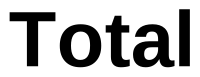
>>> label = svg.text("Total", x=0, y=20, font_family=sans, font_weight="bold")
>>> str(label.computed("font_family")) == str(sans)
True
- classmethod from_files(*sources: str | PathLike[str] | bytes | BinaryIO, name: str | None = None, faces: Mapping[tuple[float, str], str | PathLike[str] | bytes | BinaryIO] | None = None) Typeface[source]
A typeface from font files, each face’s weight, style and width read from the file.
- Parameters:
*sources (path or bytes) –
.ttf/.otffiles, their contents (bytes, a binary stream or adata:URI), one per face; collections (.ttc/.otc) add every face they hold; variable fonts cover their whole axis ranges.name (str, optional) – The family name. Defaults to None, which uses the first file’s family as stored inside it (typographic family first, so “Inter SemiBold” files join “Inter”).
faces (mapping of (weight, style) to path or bytes, optional) – More files whose weight and style are given here instead of read. Defaults to None.
- Returns:
Typeface – The family, registered for rendering.
Examples
>>> import svgwriter as svg
>>> # inter = svg.Typeface.from_files("Inter-Regular.ttf", "Inter-Bold.ttf", "Inter-Italic.ttf")
>>> # svg.text("Hi", x=0, y=20, font_family=inter, font_weight=700)
- classmethod from_folder(folder: str | PathLike[str], name: str | None = None) Typeface[source]
A typeface from the font files in a folder.
- Parameters:
folder (str or os.PathLike) – The folder;
.ttf,.otf,.ttcand.otcfiles are read.name (str, optional) – The family to take from the folder. Defaults to None, which requires every file to belong to one family.
- Returns:
Typeface – The family, registered for rendering.
- Raises:
ValueError – If the folder holds no matching fonts, or several families and no name.
Examples
>>> import svgwriter as svg
>>> # brand = svg.Typeface.from_folder("assets/fonts", "Inter")
- property name: str
The family name.
Examples
>>> import svgwriter as svg
>>> svg.Typeface("monospace").name != "monospace"
True
- property faces: tuple[Face, ...]
Every face of the family.
Examples
>>> import svgwriter as svg
>>> len(svg.Typeface("serif").faces) >= 1
True
- property installed: bool
Whether the faces come from the system’s installed fonts rather than files.
Examples
>>> import svgwriter as svg
>>> svg.Typeface("serif").installed
True
- register() Typeface[source]
Register every file face with
register_font()(done on construction; repeats are skipped).- Returns:
Typeface – This typeface.
Examples
>>> import svgwriter as svg
>>> svg.Typeface("serif").register().installed
True
- face(weight: float | str = 400, style: Literal['normal', 'italic', 'oblique'] | bool = 'normal') Face[source]
The face CSS font matching picks for a weight and style.
- Parameters:
- Returns:
Face – The nearest face; a variable face comes back pinned to weight.
Examples
>>> import svgwriter as svg
>>> svg.Typeface("sans-serif").face(weight="bold").weight[0] >= 400
True
- measure(text: str, size: float = 16.0, *, weight: float | str = 400, style: Literal['normal', 'italic', 'oblique'] | bool = 'normal') float[source]
Shaped advance width of text in the face picked for weight and style.
- Parameters:
- Returns:
float – The width in user units.
Examples
>>> import svgwriter as svg
>>> svg.Typeface("serif").measure("Hello", 20) > 0
True
- css(faces: Iterable[Face] | None = None, *, embed: bool = True) str[source]
@font-facerules, the font files embedded as data URIs or referenced.- Parameters:
- Returns:
str – One rule per face, newline-separated.
Examples
>>> import svgwriter as svg
>>> sans = svg.Typeface("sans-serif")
>>> sans.css([sans.face()]).count("@font-face")
1
- svg_value(precision: int | None = None) str[source]
The family name as a
font-familyvalue (quoted when CSS needs it).- Parameters:
precision (int, optional) – Unused; accepted so every attribute value shares one signature.
- Returns:
str – The family name.
Examples
>>> import svgwriter as svg
>>> svg.Typeface("serif").svg_value() == str(svg.Typeface("serif"))
True
- bounds(item: Geometry) BBox[source]
Tight bounding box computed from the curves, not from samples.
- Parameters:
item (shape, text, PathData or str) – The outline to measure.
- Returns:
BBox – The smallest axis-aligned box around the outline.
Examples
>>> from svgwriter.ops import bounds
>>> box = bounds("M0 0 L10 20")
>>> (box.width, box.height)
(10.0, 20.0)
- combine(first: Geometry, second: Geometry, op: BooleanOp) PathData[source]
Combine two outlines with a boolean operation.
The result has no self-intersections; the named helpers
union(),intersection(),difference()andxor()call this. Boolean operations work on filled areas: an open path counts as closed by a straight line, so a lone line or polyline with no area adds nothing. When that leaves the result empty a warning says so.- Parameters:
- Returns:
PathData – The resulting outline (lines, quadratics and cubics).
- Raises:
ValueError – If skia cannot compute the result.
See also
unionCombine any number of outlines.
Examples
>>> from svgwriter.ops import BooleanOp, combine
>>> str(combine("M0 0H10V10H0Z", "M5 0H15V10H5Z", BooleanOp.UNION))
'M5 0 L0 0 L0 10 L15 10 L15 0 L5 0 Z'
- composite_rgba(source: ndarray, backdrop: ndarray, operator: CompositeOperator | BlendMode | str = CompositeOperator.OVER, *, k: Sequence[float] = ()) ndarray[source]
Composite source onto backdrop.
Both are straight (unpremultiplied) RGBA in
0..1and broadcast against each other, so a(1, 1, 4)color composites onto a whole image.- Parameters:
source (numpy.ndarray) –
(..., 4)RGBA drawn on top (Ain Porter-Duff terms).backdrop (numpy.ndarray) –
(..., 4)RGBA underneath (B).operator (CompositeOperator, BlendMode or str, optional) – How to combine them, as in
feCompositeandfeBlend. Defaults to"over".k (sequence of float, optional) –
(k1, k2, k3, k4)for"arithmetic":k1*A*B + k2*A + k3*B + k4on premultiplied values. Defaults to ().
- Returns:
numpy.ndarray –
float32straight RGBA with the broadcast shape.- Raises:
ValueError – If the operator is unknown, the shapes do not broadcast, or
arithmeticlacks four k terms.
See also
svgwriter.model.elements.structure.Pixels.compositeComposite the pixels of images.
Notes
The math follows the SVG 1.1
feCompositeandfeBlenddefinitions on premultiplied color.Examples
>>> import numpy as np
>>> from svgwriter.ops import composite_rgba
>>> red = np.array([[[1, 0, 0, 0.5]]])
>>> composite_rgba(red, np.array([[[0, 0, 1, 1]]])).round(2).tolist()
[[[0.5, 0.0, 0.5, 1.0]]]
>>> composite_rgba(red, np.zeros((2, 2, 4)), "in").shape
(2, 2, 4)
- contains(item: Geometry, x: float, y: float) bool[source]
Whether
(x, y)is inside the filled outline (honoursfill-rule).- Parameters:
- Returns:
bool – True when the point is filled.
Examples
>>> import svgwriter as svg
>>> from svgwriter.ops import contains
>>> contains(svg.Circle(50, 50, 40), 50, 50)
True
>>> contains(svg.Circle(50, 50, 40), 5, 5)
False
- corners(item: Geometry, tolerance: Angle | float = 0.01) list[Corner][source]
The sharp vertices of an outline, where the direction jumps.
- Parameters:
- Returns:
list of Corner – Index, position and turning angle of each corner, in drawing order.
See also
round_cornersReplace corners with fillets.
Examples
>>> import svgwriter as svg
>>> from svgwriter.ops import corners
>>> [c.index for c in corners(svg.rect(0, 0, 4, 2))]
[0, 1, 2, 3]
>>> corners(svg.circle(0, 0, 5))
[]
- distribute(shapes: Sequence[T], along: Geometry, *, orient: bool = True) list[T][source]
Move shapes to evenly spaced places along a path.
Each shape’s anchor (its centre unless set otherwise) lands on its place; places are spaced as in sample. The shapes are moved in place.
- Parameters:
- Returns:
list – The same shapes.
- Raises:
ValueError – If the path has zero length.
Examples
>>> import svgwriter as svg
>>> dots = svg.distribute([svg.circle(0, 0, 1) for _ in range(3)], along=svg.line(0, 0, 10, 0))
>>> [dot.position.x for dot in dots]
[0.0, 5.0, 10.0]
- frames(item: Geometry, count: int) list[tuple[Point, Point]][source]
Positions and unit tangents at count evenly spaced distances along the outline.
An outline whose subpaths are all closed is split into count equal steps that do not repeat the start; an open one includes both ends.
- Parameters:
- Returns:
list of (Point, Point) – Each position with the direction of travel there.
- Raises:
ValueError – If count is below 1 or the outline has zero length.
See also
sampleJust the positions.
Examples
>>> from svgwriter.ops import frames
>>> frames("M0 0 L10 0", 2)[1]
(Point(x=10.0, y=0.0), Point(x=1.0, y=0.0))
- difference(first: Geometry, second: Geometry) PathData[source]
Area of first not covered by second.
- Parameters:
- Returns:
PathData – What remains of first.
See also
combineThe general operation behind this function.
Examples
>>> import svgwriter as svg
>>> from svgwriter.ops import bounds, difference
>>> rest = difference(svg.Rect(0, 0, 10, 10), svg.Rect(5, 0, 10, 10))
>>> bounds(rest).width
5.0
- draw_graph(graph: Any, *, layout: Layout = 'spring', size: float = 400.0, labels: bool = True, edge_labels: bool = False, node_radius: float = 12.0, node_fill: Any = '#4c9be8', edge_stroke: Any = '#555555', edge_width: float = 1.5, seed: int = 0) Group[source]
Draw a networkx, igraph or rustworkx graph as SVG elements you can restyle afterwards.
Nodes become
<circle>elements (idnode-<name>), edges<line>elements, or arcs when an edge runs both ways in a directed graph, with arrowheads for directed graphs, and labels<text>. Per-node and per-edge attributes override the defaults:fill,radius,label,stroke,width; an edge’slabel(or else itsweight) is written at its middle when edge_labels.Each library’s own attributes are read: networkx node and edge data, igraph vertex and edge attributes (vertices keyed by
namewhen set, else by index), and rustworkx payloads (a dict holds attributes; any other node payload is its label, any other edge payload its weight).- Parameters:
graph (networkx.Graph, igraph.Graph, rustworkx.PyGraph or rustworkx.PyDiGraph) – Directed or not; multigraphs are drawn as simple edges.
layout (str, mapping, sequence or callable, optional) – A layout of the graph’s own library:
"spring","circular","kamada_kawai"and"random"work for all three, plus that library’s others (networkx"spectral", igraph"sugiyama", rustworkx"spiral", …). Or ready positions:{node: (x, y)}, a library’s own result (an igraphLayout, a rustworkxPos2DMapping) or points in node order; or a functionf(graph)returning any of these. Defaults to “spring”.size (float, optional) – Side of the square the layout is fitted into. Defaults to 400.
labels (bool, optional) – Write node names (or their
labelattribute). Defaults to True.edge_labels (bool, optional) – Write each edge’s
labelorweightattribute at its middle. Defaults to False.node_radius (optional) – Default node and edge style.
node_fill (optional) – Default node and edge style.
edge_stroke (optional) – Default node and edge style.
edge_width (optional) – Default node and edge style.
seed (int, optional) – Seed for random layouts, so drawings are reproducible. Defaults to 0.
- Returns:
Group –
<g>with an edges group and a nodes group.- Raises:
TypeError – If graph is not a graph of a supported library.
ValueError – If the layout name is unknown to the graph’s library, or positions are missing for some nodes.
See also
svgwriter.Document.addTakes graphs directly, drawn with the defaults.
Notes
pysvgwriter[graph]installs all three libraries; any one installed on its own works too.Examples
>>> import svgwriter as svg
>>> import networkx as nx
>>> picture = svg.ops.draw_graph(nx.path_graph(3), layout="circular")
>>> len([c for c in picture[1] if c.tag == "circle"])
3
- from_skia(path: Any) PathData[source]
Read a
skia.Pathback as absolute M/L/Q/C/Z path data.Even-odd results are rewritten to nonzero winding first, so the data fills correctly without a
fill-rule.- Parameters:
path (skia.Path) – The path to read.
- Returns:
PathData – Absolute
M,L,Q,CandZcommands; conics become quadratics.
See also
to_skiaThe inverse conversion.
Examples
>>> import svgwriter as svg
>>> from svgwriter.ops import from_skia, to_skia
>>> str(from_skia(to_skia(svg.PathData("M0 0 H10 V10 Z"))))
'M0 0 L10 0 L10 10 Z'
- interpolate(a: T, b: T, t: float) T[source]
The value a fraction t of the way from a to b (
t=0gives a,t=1gives b).Works on numbers,
(x, y)points and numeric sequences, colors (in RGBA),Matrix(translation, rotation, skew and scale separately, so turns stay turns),PathDataand elements. Two elements of the same kind and shape interpolate their attributes; anything else is morphed as outlines: outlines pair with outlines and holes with holes (a contour without a partner grows from or shrinks to its centre), each pair is resampled to one point count and started where the points move least, so in-between shapes do not twist. Two batches (svgwriter.batch) of the same size blend every item at once. Inside elements, attribute values that cannot be blended (keywords, different strings, lists of different lengths) switch att = 0.5, as SMIL’s discrete mode does. Other types are added withregister_interpolator().- Parameters:
- Returns:
object – A new value; neither input is changed.
- Raises:
TypeError – If no rule blends a with b (for example a number and a color).
See also
svgwriter.Color.mixColor blending on its own.
register_interpolatorTeach interpolate a new type.
Examples
>>> import svgwriter as svg
>>> svg.interpolate(0, 10, 0.25)
2.5
>>> svg.interpolate(svg.Color.parse("red"), svg.Color.parse("blue"), 0.5).hex
'#800080'
>>> svg.interpolate(svg.circle(0, 0, 2), svg.circle(10, 0, 4), 0.5).r
3.0
>>> morph = svg.interpolate(svg.rect(0, 0, 10, 10), svg.circle(5, 5, 5), 0.5)
>>> morph.tag
'path'
>>> svg.interpolate(1, "bold", 0.5)
Traceback (most recent call last):
...
TypeError: cannot interpolate int and str; teach it with svg.register_interpolator
- intersection(first: Geometry, second: Geometry) PathData[source]
Area covered by both outlines.
- Parameters:
- Returns:
PathData – The overlapping area.
See also
combineThe general operation behind this function.
Examples
>>> import svgwriter as svg
>>> from svgwriter.ops import bounds, intersection
>>> overlap = intersection(svg.Rect(0, 0, 10, 10), svg.Rect(5, 0, 10, 10))
>>> bounds(overlap).width
5.0
- point_at_length(item: Geometry, distance: float) Point[source]
Point distance along the outline, like
getPointAtLength().Distances are clamped to
0..total_length.- Parameters:
- Returns:
Point – The position on the outline.
- Raises:
ValueError – If the outline has zero length.
See also
tangent_at_lengthThe direction at the same position.
Examples
>>> from svgwriter.ops import point_at_length
>>> point_at_length("M0 0 L30 40", 25)
Point(x=15.0, y=20.0)
- encode(pixels: ndarray, format: str = 'png', *, quality: int = 90) bytes[source]
Encode an RGBA array (floats in
0..1oruint8) as PNG, JPEG or WebP bytes.- Parameters:
pixels (numpy.ndarray) – Straight RGBA array of shape
(rows, columns, 4); floats are scaled from0..1.format ({"png", "jpeg", "jpg", "webp"}, optional) – Output format, case-insensitive. Defaults to “png”.
quality (int, optional) – Compression quality for lossy formats, 0 to 100. Defaults to 90.
- Returns:
bytes – The encoded file.
- Raises:
ValueError – If format is unknown or skia cannot encode the image.
See also
encode_imageEncode a
skia.Imagewithout converting it.
Examples
>>> import numpy as np
>>> from svgwriter.ops import encode
>>> encode(np.ones((1, 1, 4)))[:4] == bytes.fromhex("89504e47")
True
- rasterize(document: Document, *, scale: float = 1.0, pixels: tuple[int, int] | int | None = None, padding: float = 0.0, background: ColorLike | None = None, snapshot: bool = False) Any[source]
Render document into an RGBA array, embedded images included.
- Parameters:
document (Document) – What to draw; SMIL animation is not evaluated.
scale (float, optional) – Pixels per user unit of the document’s size (see
document_size()). Defaults to 1.0.pixels ((int, int) or int, optional) – Exact output
(columns, rows), or one int for a square; aviewBoxdrawing is fitted into it and scale is ignored. Without aviewBoxthis is the viewport size in user units. Defaults to None.padding (float, optional) – Margin around the drawing in its own (
viewBox) units; with pixels the padded drawing is fitted and centred. Defaults to 0.0.background (color, optional) – Painted under the drawing; transparent when omitted. Defaults to None.
snapshot (bool, optional) – Return a
skia.Imageinstead (no conversion; for encoding). Defaults to False.
- Returns:
numpy.ndarray or skia.Image –
float32(rows, columns, 4)straight RGBA in0..1, or the image when snapshot is true.
See also
render_pngRender straight to PNG bytes.
Notes
Output is deterministic: the same document gives the same pixels.
Examples
>>> import svgwriter as svg
>>> doc = svg.Document(4, 2)
>>> _ = doc.rect(0, 0, 4, 2, fill="red")
>>> rasterize(doc).shape
(2, 4, 4)
>>> rasterize(doc, pixels=(32, 32), padding=1).shape
(32, 32, 4)
- rasterize_many(documents: Iterable[Document], *, processes: int | None = None, dtype: Any = <class 'numpy.float32'>, **options: Any) list[np.ndarray][source]
Rasterize several documents in parallel worker processes.
Each document travels to a worker as SVG text, so anything the SVG keeps renders the same as
document.rasterize(**options); linked files are resolved against each document’s source path.- Parameters:
documents (iterable of Document) – The drawings (frames of an animation, a batch of icons, …).
processes (int, optional) – Worker count. Defaults to None (one per CPU);
1renders in this process.dtype (numpy dtype, optional) –
numpy.float32(0..1, likerasterize) ornumpy.uint8(0..255, four times less data to move between processes). Defaults to float32.**options –
scale,pixels,padding,backgroundas forDocument.rasterize().
- Returns:
list of numpy.ndarray –
float32RGBA arrays in the order of documents.
Notes
Start-up costs a fraction of a second, so pools pay off from a few dozen non-trivial documents; small batches run in this process. Scripts that use this on Windows or macOS need the usual
if __name__ == "__main__":guard.Examples
>>> import svgwriter as svg
>>> from svgwriter.ops import rasterize_many
>>> frames = [svg.Document(4, 4) for _ in range(2)]
>>> [a.shape for a in rasterize_many(frames, processes=1)]
[(4, 4, 4), (4, 4, 4)]
- render_png(document: Document, *, scale: float = 1.0, background: ColorLike | None = None) bytes[source]
Render document to PNG bytes.
- Parameters:
- Returns:
bytes – The PNG file.
See also
rasterizeGet the pixels as an array.
Examples
>>> import svgwriter as svg
>>> from svgwriter.ops import render_png
>>> render_png(svg.Document(4, 4))[:4] == bytes.fromhex("89504e47")
True
- register_font(source: str | PathLike[str] | bytes, family: str | None = None, *, weight: float | tuple[float, float] | None = None, style: Literal['normal', 'italic', 'oblique'] | None = None) str[source]
Make a TrueType/OpenType font file usable by name in
font_family.Text layout, measurement, outlines and rendering then use it, without installing it on the system. Register each style file (regular, bold, italic) of a family; text picks among them with the CSS font matching rules, and variable fonts are set to the requested weight. This is the low-level call under
Typeface, which registers a whole family at once.- Parameters:
source (str, os.PathLike or bytes) – A
.ttf/.otf/.ttcfile or its contents.family (str, optional) – Name to register under. Defaults to None, which uses the family name stored in the font (typographic family first, then WWS, then legacy).
weight (float or (float, float), optional) – The weight (or variable range) the face stands for, as the
font-weightdescriptor of@font-face. Defaults to None, which reads it from the font (OS/2 weight class orwghtaxis).style ({"normal", "italic", "oblique"}, optional) – The style the face stands for. Defaults to None, which reads it from the font.
- Returns:
str – The family name to use in
font_family.- Raises:
ValueError – If the data is not a font skia can read.
Examples
>>> import svgwriter as svg
>>> # name = svg.register_font("Inter-Regular.ttf")
>>> # svg.text("Hello", x=0, y=20, font_family=name).to_path()
- register_interpolator(kind: type | Callable[[object], bool], blend: Callable[[Any, Any, float], Any]) None[source]
Teach
interpolate()to blend values of a new kind.Registered rules are tried before the built-in ones, newest first, so a rule can also replace how a built-in type blends.
- Parameters:
kind (type or callable) – A class (instances and subclasses match) or a predicate
kind(value) -> bool. A rule applies when both values match.blend (callable) –
blend(a, b, t)returning the value a fraction t from a to b.
See also
unregister_interpolatorRemove the rule again.
interpolateUses the rules.
Examples
>>> import svgwriter as svg
>>> class Weight(int):
...     pass
>>> svg.register_interpolator(Weight, lambda a, b, t: Weight(round(a + (b - a) * t, -2)))
>>> svg.interpolate(Weight(400), Weight(700), 0.5)
600
>>> svg.unregister_interpolator(Weight)
- render_svg(text: str, width: float, height: float, *, scale: float = 1.0, background: ColorLike | None = None) np.ndarray[source]
Render SVG text at
width x heightuser units into an RGBA array.- Parameters:
text (str) – A complete SVG document.
width (float) – Size in user units; the pixel size is this times scale, rounded up.
height (float) – Size in user units; the pixel size is this times scale, rounded up.
scale (float, optional) – Pixels per user unit. Defaults to 1.0.
background (color, optional) – Painted under the drawing; transparent when omitted. Defaults to None.
- Returns:
numpy.ndarray –
float32array of shape(rows, columns, 4), straight (not premultiplied) RGBA in0..1.- Raises:
ValueError – If skia cannot parse the document.
Notes
Skia’s SVG renderer does not load
<image>content;render_tree()andrasterize()draw embedded images.Examples
>>> from svgwriter.ops import render_svg
>>> text = (
...     '<svg xmlns="http://www.w3.org/2000/svg" width="4" height="2">'
...     '<rect width="4" height="2" fill="red"/></svg>'
... )
>>> pixels = render_svg(text, 4, 2)
>>> pixels.shape
(2, 4, 4)
>>> pixels[0, 0].tolist()
[1.0, 0.0, 0.0, 1.0]
- resolve_operator(operator: CompositeOperator | BlendMode | str) CompositeOperator | BlendMode[source]
Look up a compositing operator by enum member or SVG name.
- Parameters:
operator (CompositeOperator, BlendMode or str) – An
feCompositeoperator ("over","in","out","atop","xor","arithmetic") or anfeBlendmode ("normal","multiply","screen","darken","lighten").- Returns:
CompositeOperator or BlendMode – The enum member.
- Raises:
ValueError – If the name is unknown.
Examples
>>> from svgwriter.ops import resolve_operator
>>> resolve_operator("multiply")
<BlendMode.MULTIPLY: 'multiply'>
- round_corners(item: Geometry, radius: float, where: CornerFilter = None, *, fillet: Fillet = 'arc') PathData[source]
Replace sharp corners with fillets of radius.
A fillet shrinks when its neighbours are too short for the radius (sharing a side with another fillet leaves each half of it), so the outline never overlaps itself. Fillets between straight sides are exact circular arcs; next to curves they are cubic curves that leave and join the curves smoothly, a fillet’s reach from the vertex.
- Parameters:
radius (float) – Fillet radius in user units.
where (callable, iterable of int or None, optional) – Which corners: None for all, a predicate taking a Corner, or vertex numbers (
Corner.index). Defaults to None.fillet ({"arc", "quad"}, optional) – Draw a circular arc, or a quadratic curve pulled towards the old vertex. Defaults to “arc”.
- Returns:
PathData – The rounded outline.
- Raises:
ValueError – If a listed vertex is not a corner.
See also
cornersFind the corners and their numbers.
Examples
>>> from svgwriter.ops import round_corners
>>> str(round_corners("M0 0 H10 V10", 2))
'M0 0 L8 0 A2 2 0 0 1 10 2 L10 10'
- sample(item: Geometry, count: int) list[Point][source]
count points evenly spaced by distance along the outline.
- Parameters:
- Returns:
list of Point – The points in drawing order; see frames for how closed outlines are split.
- Raises:
ValueError – If count is below 1 or the outline has zero length.
Examples
>>> from svgwriter.ops import sample
>>> sample("M0 0 L10 0", 3)
[Point(x=0.0, y=0.0), Point(x=5.0, y=0.0), Point(x=10.0, y=0.0)]
>>> len(sample("M0 0 H10 V10 H0 Z", 4))
4
- segment(item: Geometry, start: float, end: float) PathData[source]
The part of the outline between two distances from its start.
Subpaths are walked in order, as for
total_length(); a stretch that spans several subpaths keeps them as separate pieces.- Parameters:
- Returns:
PathData – The piece of the outline (lines, quadratics and cubics).
- Raises:
ValueError – If end comes before start.
See also
point_at_lengthOne point instead of a stretch.
Examples
>>> from svgwriter.ops import segment
>>> str(segment("M0 0 L10 0 L10 10", 5, 15))
'M5 0 L10 0 L10 5'
- simplify(item: Geometry) PathData[source]
Equivalent outline with no self-intersections or overlaps.
- Parameters:
item (shape, text, PathData or str) – The outline to clean up.
- Returns:
PathData – An outline that fills the same area.
- Raises:
ValueError – If skia cannot simplify the outline.
See also
unionMerge several outlines.
Examples
>>> from svgwriter.ops import simplify
>>> str(simplify("M0 0H10V10H0Z"))
'M0 0 L10 0 L10 10 L0 10 Z'
- render_frame(document: Document, seconds: float) np.ndarray[source]
Frame renderer for
render_animation(): an opaque uint8 RGBA frame.Draws the document as it is at each frame (use
update=to change it over time) on white, and returns raw pixels so ffmpeg needs no PNG decoding.- Parameters:
- Returns:
numpy.ndarray –
uint8array of shape(rows, columns, 4).- Raises:
ValueError – If skia cannot read the rendered pixels.
See also
rasterizeRender with transparency and float output.
Examples
>>> import svgwriter as svg
>>> from svgwriter.ops import render_frame
>>> frame = render_frame(svg.Document(4, 2), 0.0)
>>> frame.shape, frame.dtype.name
((2, 4, 4), 'uint8')
- stroke_to_path(item: Geometry, width: float = 1.0, *, cap: Cap = 'butt', join: Join = 'miter', miter_limit: float = 4.0) PathData[source]
The filled outline a stroke of width would paint.
The result can be filled, combined with other outlines or exported in place of the stroke.
- Parameters:
item (shape, text, PathData or str) – The outline to stroke.
width (float, optional) – Stroke width in user units. Defaults to 1.0.
cap ({"butt", "round", "square"}, optional) –
stroke-linecapvalue. Defaults to “butt”.join ({"miter", "round", "bevel"}, optional) –
stroke-linejoinvalue. Defaults to “miter”.miter_limit (float, optional) –
stroke-miterlimit. Defaults to 4.0.
- Returns:
PathData – The outline of the stroked area.
See also
boundsMeasure the resulting outline.
Examples
>>> from svgwriter.ops import stroke_to_path
>>> str(stroke_to_path("M0 0 L10 0", 2))
'M0 -1 L10 -1 L10 1 L0 1 L0 -1 Z'
- tangent_at_length(item: Geometry, distance: float) Point[source]
Unit tangent direction distance along the outline.
- Parameters:
- Returns:
Point – A unit vector pointing along the outline.
- Raises:
ValueError – If the outline has zero length.
See also
point_at_lengthThe position at the same distance.
Examples
>>> from svgwriter.ops import tangent_at_length
>>> tangent_at_length("M0 0 L30 0", 5)
Point(x=1.0, y=0.0)
- text_outline(text: str, font_family: str = 'sans-serif', size: float = 16.0, *, x: float = 0.0, y: float = 0.0, anchor: Literal['start', 'middle', 'end'] = 'start', weight: int | Literal['normal', 'bold'] = 'normal', italic: bool = False) PathData[source]
Glyph outlines of text as path data, baseline at
(x, y).font_familymay be a CSS-style list ("Inter, Arial, sans-serif"); the first installed family wins.- Parameters:
text (str) – The characters to outline.
font_family (str, optional) – Family name or comma-separated fallback list. Defaults to “sans-serif”.
size (float, optional) – Font size in user units. Defaults to 16.0.
x (float, optional) – Baseline position of the anchor point. Defaults to 0.0.
y (float, optional) – Baseline position of the anchor point. Defaults to 0.0.
anchor ({"start", "middle", "end"}, optional) – Horizontal alignment, as
text-anchor. Defaults to “start”.weight (int or {"normal", "bold"}, optional) – Font weight. Defaults to “normal”.
italic (bool, optional) – Use the italic style. Defaults to False.
- Returns:
PathData – The combined outline of all glyphs.
See also
text_to_pathThe same outline wrapped in a
<path>element.
Examples
>>> from svgwriter.ops import text_outline
>>> len(text_outline("Hi", size=24)) > 0
True
- text_to_path(text: str, font_family: str = 'sans-serif', size: float = 16.0, *, x: float = 0.0, y: float = 0.0, anchor: Anchor = 'start', weight: FontWeight = 'normal', italic: bool = False, **kwargs: Any) Path[source]
A
<path>tracing the glyphs of text.Useful when the drawing must not depend on fonts being installed where it is viewed.
- Parameters:
text (str) – The characters to outline.
font_family (str, optional) – Family name or comma-separated fallback list. Defaults to “sans-serif”.
size (float, optional) – Font size in user units. Defaults to 16.0.
x (float, optional) – Baseline position of the anchor point. Defaults to 0.0.
y (float, optional) – Baseline position of the anchor point. Defaults to 0.0.
anchor ({"start", "middle", "end"}, optional) – Horizontal alignment, as
text-anchor. Defaults to “start”.weight (int or {"normal", "bold"}, optional) – Font weight. Defaults to “normal”.
italic (bool, optional) – Use the italic style. Defaults to False.
**kwargs – Attributes for the
Path.
- Returns:
Path – The
<path>element.
See also
text_outlineThe outline as bare path data.
Examples
>>> from svgwriter.ops import text_to_path
>>> text_to_path("Hi", size=24, fill="navy").tag
'path'
- unregister_interpolator(kind: type | Callable[[object], bool]) None[source]
Remove the rule registered for kind with
register_interpolator().- Parameters:
kind (type or callable) – The class or predicate given when registering.
- Raises:
KeyError – If no rule is registered for kind.
Examples
>>> import svgwriter as svg
>>> svg.unregister_interpolator(complex)
Traceback (most recent call last):
...
KeyError: 'no interpolator registered for complex'
- text_width(text: str, font_family: str = 'sans-serif', size: float = 16.0, *, weight: int | Literal['normal', 'bold'] = 'normal', italic: bool = False) float[source]
Advance width of text set in the given font.
- Parameters:
text (str) – The characters to measure.
font_family (str, optional) – Family name or comma-separated fallback list. Defaults to “sans-serif”.
size (float, optional) – Font size in user units. Defaults to 16.0.
weight (int or {"normal", "bold"}, optional) – Font weight. Defaults to “normal”.
italic (bool, optional) – Use the italic style. Defaults to False.
- Returns:
float – Width in user units.
See also
text_outlineThe glyph outlines themselves.
Examples
>>> from svgwriter.ops import text_width
>>> text_width("Hello") > text_width("Hi") > 0
True
- to_matplotlib(item: Element | Document, ax: Any, *, flip: bool = True) list[Any][source]
Draw an element or document onto matplotlib axes as
PathPatchartists.Outlines keep their curves, solid fill and stroke colors, opacity and stroke width; each artist stays editable in matplotlib (
set_facecolorand so on). Gradients become their average color and patterns their tiles, as in the other vector exports.- Parameters:
- Returns:
list of matplotlib.patches.PathPatch – The artists added, in paint order.
- Raises:
ImportError – If matplotlib is not installed (
pip install 'pysvgwriter[plot]').
See also
svgwriter.Document.addThe other direction (figures into documents).
Examples
>>> import svgwriter as svg
>>> # import matplotlib.pyplot as plt; fig, ax = plt.subplots()
>>> # svg.ops.to_matplotlib(svg.star(0, 0, 10, fill="gold"), ax)
- to_skia(data: PathData, *, evenodd: bool = False) Any[source]
Build a
skia.Pathfrom path data.Relative commands, shorthands and arcs are normalised first, so any valid path data converts.
- Parameters:
- Returns:
skia.Path – The equivalent skia path.
See also
from_skiaThe inverse conversion.
Examples
>>> import svgwriter as svg
>>> from svgwriter.ops import to_skia
>>> to_skia(svg.PathData("M0 0 L10 0 L10 10 Z")).countVerbs()
4
- total_length(item: Geometry) float[source]
Length of every subpath added together, like
getTotalLength().- Parameters:
item (shape, text, PathData or str) – The outline to measure.
- Returns:
float – Length in user units.
See also
point_at_lengthFind the point at a given distance.
Examples
>>> from svgwriter.ops import total_length
>>> total_length("M0 0 L30 40")
50.0
- union(first: Geometry, *others: Geometry) PathData[source]
Area covered by any of the outlines.
With a single outline this simplifies it.
- Parameters:
- Returns:
PathData – The merged outline.
- Raises:
ValueError – If skia cannot compute the union.
See also
combineApply any boolean operation to two outlines.
Examples
>>> import svgwriter as svg
>>> from svgwriter.ops import bounds, union
>>> merged = union(svg.Rect(0, 0, 10, 10), svg.Rect(5, 0, 10, 10))
>>> (bounds(merged).width, bounds(merged).height)
(15.0, 10.0)
- xor(first: Geometry, second: Geometry) PathData[source]
Area covered by exactly one of the outlines.
- Parameters:
- Returns:
PathData – The non-overlapping parts of both outlines.
See also
combineThe general operation behind this function.
Examples
>>> import svgwriter as svg
>>> from svgwriter.ops import contains, xor
>>> both = xor(svg.Rect(0, 0, 10, 10), svg.Rect(5, 0, 10, 10))
>>> contains(both, 2, 5), contains(both, 7, 5)
(True, False)