Export and import
Formats are found by name or file extension, so save and open usually need nothing else:
import svgwriter as svg

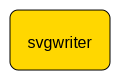
doc = svg.Document(120, 80)
doc.rect(10, 10, 100, 60, rx=8, fill="gold", stroke="black")
doc.text("svgwriter", x=60, y=48, font_size=16, text_anchor="middle")

doc.save("figure.svg")
doc.save("figure.png", scale=2)
doc.save("figure.pdf")
doc.save("figure.tex", standalone=True)
data = doc.export("eps")                      # bytes or str, without a file
again = svg.Document.open("figure.svg")
print(svg.formats.writers(), svg.formats.readers())

Format |
Extension(s) |
Export |
Import |
Notes |
|---|---|---|---|---|
SVG |
|
✓ |
✓ |
the native format; ids, links, |
SVGZ |
|
✓ |
✓ |
gzip-compressed SVG |
PNG |
|
✓ |
✓ |
|
JPEG |
|
✓ |
✓ |
|
WebP |
|
✓ |
✓ |
|
BMP |
|
✓ |
✓ |
import is an |
GIF (incl. animated) |
|
✓ |
✓ |
animated automatically when the drawing has SMIL animation ( |
APNG |
|
✓ |
✓ |
|
Animated WebP |
|
✓ |
✓ |
|
PPM / PGM / PNM |
|
✓ |
✓ |
import also reads |
TIFF |
|
✓ |
— |
lossless RGBA with the |
ICO |
|
✓ |
✓ |
PNG entries at |
ICNS |
|
✓ |
✓ |
standard and Retina sizes; import takes the largest image |
|
✓ |
✓ |
vector (skia); text kept as text, in an embedded font subset; import reads paths, images, clips, text and shadings, |
|
EPS / PostScript |
|
✓ |
✓ |
text kept as text (ASCII in standard fonts); no transparency; import is a small PostScript interpreter |
TikZ |
|
✓ |
✓ |
|
DXF |
|
✓ |
✓ |
CAD polylines in mm, one layer per colour; import reads lines, polylines, circles, arcs, ellipses |
HPGL |
|
✓ |
✓ |
pen plotters and cutters, one pen per colour |
G-code |
|
✓ |
✓ |
|
Excalidraw |
|
✓ |
✓ |
writes outlines, text, images and links; import reads shapes, arrows, text, images and groups (also |
HTML |
|
✓ |
✓ |
standalone page with the SVG inline (text kept as text), |
PowerPoint |
|
✓ |
✓ |
needs |
Word |
|
✓ |
✓ |
needs |
Excel |
|
✓ |
— |
needs |
Markdown |
|
— |
✓ |
headings, lists, code and bold become |
Plain text |
|
— |
✓ |
one |
Graphviz DOT |
|
— |
✓ |
laid out by Graphviz ( |
Mermaid |
|
— |
✓ |
flowcharts need no tool (built-in parser and layout); other diagrams use |
PlantUML |
|
— |
✓ |
drawn by |
D2 |
|
— |
✓ |
drawn by |
LaTeX math |
|
— |
✓ |
formulas as glyph outlines: TeX ( |
Video frames |
|
✓ |
✓ |
needs ffmpeg: |
Filters and masks have no shape in TikZ, EPS, PowerPoint, Word, Excalidraw and the polyline formats, which
work from a flattened copy of the drawing; Diagrams and Office files
says what each does with them (fallback=, dpi=). Word, PowerPoint and Excel need the office extra.
What each format keeps
Checked by exporting a drawing with each feature to every format and reading it back. “shapes” means the effect is drawn into plain outlines, which look the same but are no longer the effect itself.
feature |
SVG, HTML |
PNG and other rasters |
EPS |
TikZ |
PowerPoint |
Word |
Excel |
Excalidraw |
DXF, HPGL, G-code |
|
|---|---|---|---|---|---|---|---|---|---|---|
solid fill |
yes |
yes |
yes |
yes |
yes |
yes |
yes |
picture |
yes |
outline only |
linear, radial gradient |
yes |
yes |
yes |
yes ( |
yes (shading) |
yes (radial approximate) |
yes (radial approximate) |
picture |
average colour |
no |
pattern |
yes |
yes |
yes |
shapes |
shapes |
shapes |
shapes |
picture |
shapes |
outlines |
stroke width |
yes |
yes |
yes |
yes |
yes |
yes |
yes |
picture |
yes |
no |
dashes |
yes |
yes |
shapes |
yes |
yes |
yes |
yes |
picture |
dashed style |
no |
caps, joins |
yes |
yes |
yes |
yes |
yes |
yes |
yes |
picture |
round |
no |
fill, stroke opacity |
yes |
yes |
yes |
no |
yes |
yes |
yes |
picture |
one per element |
no |
group opacity |
yes |
yes |
yes |
no |
per shape |
per shape |
per shape |
picture |
per element |
no |
clipping |
yes |
yes |
yes |
shapes |
shapes |
shapes |
shapes |
picture |
shapes |
shapes |
masks |
yes |
yes |
yes (pixels) |
skipped |
skipped |
picture |
picture |
picture |
skipped |
skipped |
filters |
yes |
yes |
yes (pixels) |
skipped |
skipped |
picture |
picture |
picture |
skipped |
skipped |
text |
text |
pixels |
text or outlines |
text or outlines |
text |
text boxes |
text boxes |
picture |
text |
outlines |
images |
yes |
yes |
yes |
yes |
skipped |
pictures |
pictures |
picture |
yes |
skipped |
transforms |
yes |
yes |
yes |
applied |
applied |
applied |
applied |
picture |
applied |
applied |
markers |
yes |
shapes |
shapes |
shapes |
shapes |
shapes |
shapes |
picture |
shapes |
outlines |
LaTeX formulas |
outlines |
pixels |
outlines |
outlines |
outlines |
equations |
equations |
picture |
outlines |
outlines |
SMIL animation |
yes |
one frame |
one frame |
one frame |
one frame |
slide effects, both ways |
one frame |
one frame |
one frame |
one frame |
links |
yes |
no |
yes |
no |
no |
on shapes |
no |
no |
yes |
no |
“one frame” is the drawing at t = 0, or at seconds=; render_animation writes animated GIF and video.
PowerPoint keeps SMIL as slide effects; the table of what carries over is under Slide effects.
PowerPoint and Word place pictures by their bounding box, so a rotated or skewed image comes out upright, and
group opacity is multiplied into each shape’s own transparency. A radial gradient becomes a
PowerPoint path gradient centred on the gradient’s centre, which matches circles and differs on
ellipses. Excalidraw writes every outline as a line element, with Excalidraw’s own dash pattern;
its elements have no holes, so the inside of a ring or of a letter such as “o” comes out filled.
Text stays text
Every format that can hold text keeps it as text, so it can be selected, searched and edited. Where a format cannot hold some text exactly, that text is drawn as its glyph outlines, which look the same but are shapes. Only raster formats turn text into pixels.
format |
kept as text |
drawn as outlines |
|---|---|---|
SVG, SVGZ, HTML |
everything |
nothing |
plain-coloured text in scripts that need no shaper (Latin, Greek, Cyrillic, CJK, …), in an embedded font subset |
gradient or pattern paint, filters, masks, shaped scripts (Devanagari, Arabic, …) |
|
TikZ |
everything, as |
nothing |
EPS |
ASCII text in Helvetica, Times or Courier |
other characters |
PowerPoint |
everything, as text boxes with font, size, weight, style, colour, opacity and rotation |
nothing |
Excalidraw |
everything, as text elements with size, colour, opacity and rotation (Helvetica, Cascadia or Virgil) |
nothing |
Pass text=False to pdf, tikz or eps to get exact outlines everywhere, for example when the
reader of the file may lack the fonts:
memo = svg.Document(160, 50)
memo.rect(0, 0, 160, 50, fill="lavender")
memo.text("Selectable text", x=80, y=30, font_size=16, text_anchor="middle", fill="indigo")
memo.save("memo.pdf")                  # selectable text
memo.save("memo.pdf", text=False)      # glyph outlines only
memo.save("memo.tex")

PDF, EPS and TikZ read back as filled and stroked <path> elements with solid colours or gradients,
stroke width, dashes, caps, joins and opacity, in user units with y pointing down (see
Physical size). The PDF reader scans for objects (a
broken xref table does not matter), inflates /FlateDecode streams, follows Form XObjects and gs
alpha, and reads page 1 unless you pass page=. Images, clipping paths and text come in as
<image>, clip-path and <text>. Text is decoded through the font’s /ToUnicode map, which most
PDF writers embed. Glyphs placed one at a time are joined back into words, and the font family
comes from the font’s name. Axial and radial shadings become gradients and tiling patterns become
<pattern>. The EPS reader is a small PostScript interpreter. It handles paths, arc, painting,
colours, line styles, gsave/grestore, transforms, image/colorimage, clip, shfill, show with
findfont, and procedures and dictionaries with def. It honours %%BoundingBox and ignores
operators it does not know. The TikZ reader takes \draw, \fill, \filldraw and \path with
--, .. controls .., cycle, rectangle, circle and grid. It also reads colours from \definecolor
and xcolor mixes, the common line options, shadings (top color, inner color and the like), nodes (with shapes and names), \tikzset styles,
scope and \foreach. Other macros are not expanded.
page = svg.export.load("memo.pdf", page=0)
picture = svg.Document.open("memo.tex")


Page sizes
size= names a canvas instead of a width and height. Paper and card sizes keep their real units, so the
viewBox counts in millimetres or inches and plain numbers inside are millimetres or inches; screen sizes
are pixels. dpi= on raster exports then gives the real size in pixels:
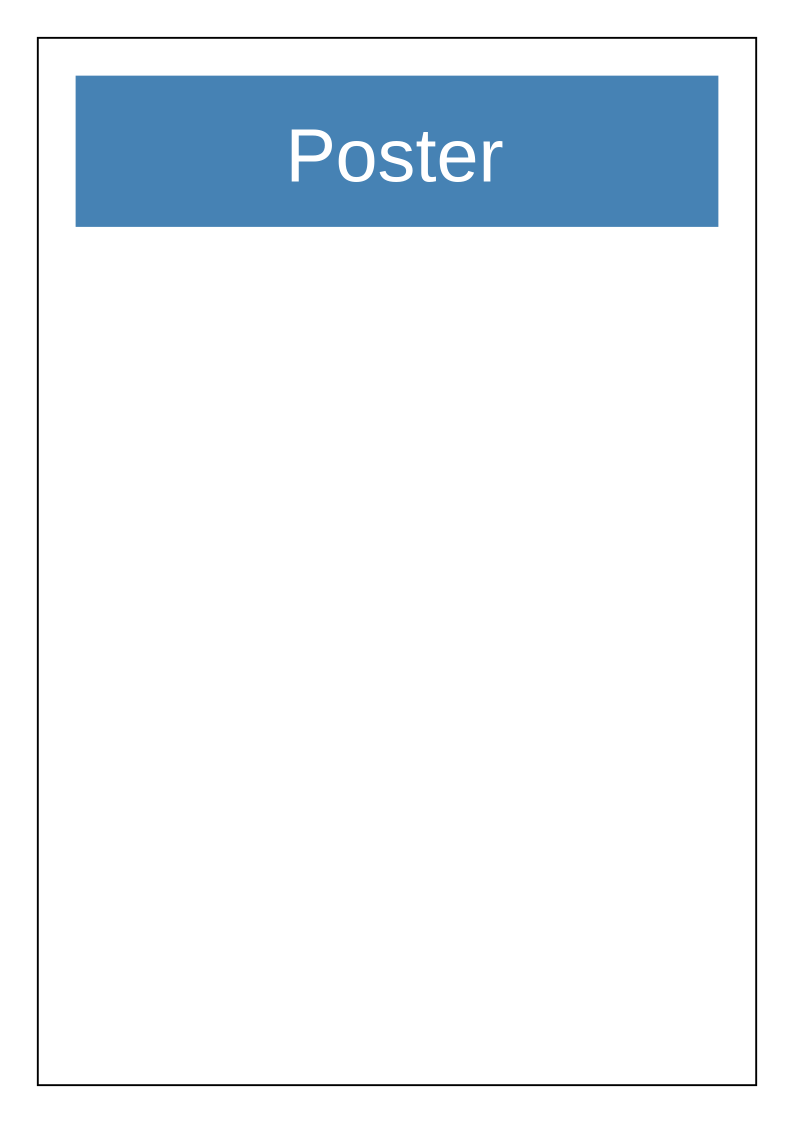
poster = svg.Document(size="a4")                     # 210 x 297 mm; coordinates are millimetres
poster.rect(10, 10, 190, 277, fill="none", stroke="black", stroke_width=0.5)
poster.rect(20, 20, 170, 40, fill="steelblue")
poster.text("Poster", x=105, y=48, font_size=20, text_anchor="middle", fill="white")
poster.save("poster.png", dpi=150)                   # 1241 x 1755 pixels
wide = svg.Document(size="a4-landscape")             # any name turns with -landscape or -portrait
wide.rect(20, 20, 257, 40, fill="tomato")
slide = svg.Document(size="slide-16:9")              # 1280 x 720, PowerPoint's default slide size
slide.rect(80, 80, 1120, 160, fill="teal")
typed = svg.Document(size=svg.size.letter.landscape)  # svg.size.<name> is a PageSize (width, height, units)
typed.rect(0.5, 0.5, 10, 1.5, fill="gold")
svg.preset.size("poster-50x70", "50cm", "70cm")         # your own, also svg.size.poster_50x70
print(svg.preset.size.list()[:6], svg.size.poster_50x70.landscape)
svg.preset.size.unregister("poster-50x70")



svg.size.<name> gives a PageSize for every registered size with the name turned into an identifier
(svg.size.slide_16_9, svg.size.instagram_story), so an editor completes it; .landscape and .portrait
turn it. Document(size=...), Scene.size and a project’s size take a name or a PageSize.
Kind |
Names |
|---|---|
Paper (mm) |
|
Paper (in) |
|
Slides and video (px) |
|
Social images (px) |
|
Icons (px) |
|
svgwriter sizes lists them with their dimensions, Scene subclasses take the same names
(size = "instagram-story"), and project files use them for size.
Pages and slides
PDF and PowerPoint hold several drawings. Pass a list to export or save to write one page or
slide per document, and use Document.open_all to read them all back as a list:
cover = svg.Document(160, 90)
cover.rect(0, 0, 160, 90, fill="navy")
cover.text("Results", x=80, y=50, font_size=20, text_anchor="middle", fill="white")
body = svg.Document(120, 80)
body.rect(10, 10, 100, 60, rx=8, fill="seagreen")
svg.export.save([cover, body], "report.pdf")            # two pages, each its own size
svg.export.save([cover, body], "deck.pptx")             # two slides
pages = svg.Document.open_all("report.pdf")             # [Document, Document]
second = svg.Document.open("deck.pptx", slide=1)        # one slide, as before
A PDF page takes the size of its document. A PowerPoint deck has one slide size, so it fits the
widest and the tallest drawing, and smaller drawings are centred on their slides. Other formats
hold one drawing and raise ValueError for a list. The low-level load returns the list too when
the page option is None (page=None for PDF, slide=None for PowerPoint); Document.open reads
one page and Document.open_all reads every page, or wraps a single-page file in a list of one.
Physical sizes, dpi= and units_per_inch= are in Print and colour;
diagram files (Graphviz, Mermaid, PlantUML, D2, LaTeX math) and Office files are in
Diagrams and Office files.
Your own formats
A format is a class: the class line declares its name and extensions, and write, read or both say
what it does. Creating the class registers it, so doc.save, doc.export, svg.Document.open and
svg.Document.from_string use it at once.
class Lines(svg.Format, name="lines", extensions=(".lines",), binary=False):
    """One polyline per text line of x,y pairs."""

    def write(self, document, **options):
        lines = [" ".join(f"{x:g},{y:g}" for x, y in shape.to_path().nodes) for shape in document]
        return "\n".join(lines)

    def read(self, data, **options):
        out = svg.Document()
        for line in data.decode().splitlines():
            out.add(svg.polyline([tuple(map(float, p.split(","))) for p in line.split()],
                                 fill="none", stroke="black"))
        return out

zigzag = svg.Document(120, 60)
zigzag.add(svg.polyline([(10, 50), (40, 10), (70, 50), (100, 10)], fill="none", stroke="crimson", stroke_width=4))
zigzag.save("zigzag.lines")
again = svg.Document.open("zigzag.lines")
svg.formats.unregister("lines")                      # plugins and tests can clean up


binary=True (the default) means write returns bytes; multipage=True means write also takes a
list of documents and read returns a list when its page option (page_option=, "page" by default)
is None. svg.formats.writer(path) and svg.formats.reader(path) find a format by name, extension or
file path. read_extensions= adds extensions the format only reads: the svg format also reads .svgz
while .svgz writes through the svgz format, and Excalidraw also reads .json. A package can ship formats through the svgwriter.format entry-point group (see
Extending svgwriter).
HTML pages
doc.save("page.html") writes a standalone page with the drawing inline. The SVG stays static;
interaction is attached by the page, by element id:
# doc.save("page.html", title="Demo", css="#logo:hover { opacity: 0.7 }",
#          handlers={"logo": {"click": "this.style.fill = 'red'"}})
Opening an HTML file reads its first inline <svg>.