Print and colour
How a drawing keeps its real size on paper, and how its colours are written for a screen or a press. Saving and the formats themselves are in Export and import.
Physical size
A user unit is a CSS pixel, 96 to the inch, so a point is 4/3 of a unit and a millimetre is
96/25.4. Formats with a physical page keep the document’s true size: a
svg.Document(210 * svg.mm, 297 * svg.mm) exports as a 595.28 × 841.89 pt A4 PDF page and EPS
bounding box, and as a 7560000 × 10692000 EMU PowerPoint slide, and an 8.5 × 11 inch document as a
612 × 792 pt Letter page. TikZ pictures are drawn at 0.75 bp per unit, Word drawings at 9525 EMU
per unit, and DXF, HPGL and G-code at 25.4/96 mm per unit. A raster has no physical size: dpi=
sets how many pixels an inch of the document becomes (96 is scale=1), and pixels= asks for an
exact pixel size instead.
import svgwriter as svg

a4 = svg.Document(210 * svg.mm, 297 * svg.mm)   # user units are millimetres through the viewBox
a4.rect(20, 30, 170, 30, fill="tomato")
a4.text("A4", x=30, y=52, font_size=20, fill="white")
a4.save("a4.pdf")                               # prints at 100% on A4

Readers work the other way: a PDF or EPS point reads as 4/3 of a unit and a TikZ 1cm as
96/2.54, so a file made elsewhere opens at its real size and an exported file reads back at the
same size with every shape in the same place, measured in user units (a millimetre document comes
back as 793.7 × 1122.5 units with no viewBox scaling).
A drawing made in plain numbers is in CSS pixels, so a 144-unit-wide figure prints 1.5 inches wide.
When the numbers are meant as points (one unit, one point, as in many plotting tools), pass
units_per_inch=72 to pdf, eps, tikz or, together with dpi=, to a raster format; sizes in mm, cm, in, pt or pc stay as they are:
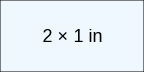
chart = svg.Document(144, 72)                     # meant as 2 x 1 inches
chart.rect(0, 0, 144, 72, fill="aliceblue", stroke="black")
chart.text("2 × 1 in", x=72, y=42, font_size=18, text_anchor="middle")
chart.save("chart.pdf", units_per_inch=72)          # 144 x 72 pt
chart.save("chart.pdf")                          # 108 x 54 pt: CSS pixels
Colour profiles
Every export draws in sRGB. icc=
attaches an ICC profile, converting the pixels when it is not sRGB (LittleCMS does it in one pass and
profiles are parsed once):
swatch = svg.Document(80, 40)
swatch.rect(0, 0, 80, 40, fill="#00c853")        # a saturated green: it shifts most between profiles
swatch.save("swatch.png", icc="srgb")               # tagged sRGB, pixels unchanged
swatch.save("swatch.png", icc="display-p3")         # pixels converted to Display P3, profile in iCCP
swatch.save("swatch.jpg", icc="display-p3")         # profile in APP2 segments
# swatch.save("press.tif", icc=open("press.icc", "rb").read(), dpi=300)   # CMYK ink for a CMYK profile
# swatch.save("print.pdf", icc=open("press.icc", "rb").read())            # PDF/X-style output intent

Wide-gamut colours (oklch(...), color(display-p3 ...)) keep their own space through theme
palettes, theme expressions, mixing and gradient stops, so they are never clipped before they are
combined. The pixels, though, are drawn by skia’s SVG renderer, which paints in sRGB: a colour outside
sRGB is clipped to it when drawn, and icc="display-p3" then converts those sRGB pixels. The PNG is a
correctly tagged Display P3 image of the sRGB rendering, not one that reaches the extra P3 gamut.
Format |
|
|---|---|
PNG, APNG, JPEG |
|
TIFF |
the same, or CMYK profile bytes: the file is CMYK, flattened on white since ink has no alpha |
|
A PDF keeps its colours as sRGB DeviceRGB: skia’s PDF backend writes no other colour space and no
CMYK, so the intent is appended as an incremental update and a non-sRGB RGB profile is refused rather
than silently reinterpreting the colours; a RIP converts the RGB to the press condition named by a
CMYK intent. Without the extra, icc= raises an ImportError naming it.